Build your store network.
On your own, with no code.
Add stores and configure opening hours, departments, services and products entirely on your own from the admin panel. No technical work required: your team stays in full control.
Everything you need to run
every store.
From opening hours to dedicated credentials, every aspect of your store is under control.
Physical and virtual stores
Every store has its own location data, contacts, opening hours and coordinates. Virtual stores (online only) are kept distinct from physical ones.
Weekly opening hours
Set up to two time bands for each day. Save day by day or the whole week in one go.
Click & collect and shipping per store
Enable each store for in-store pickup, home delivery or both, with configurable time slots.
E-commerce exclusion dates
Block individual days when the store takes no orders: holidays, stocktaking, closures. Separately for pickup and shipping.
Product catalog per store
Assign products with their own price, offer and stock. Per-store prices override the master catalog.
Dedicated login
Each store can have its own credentials, with permissions limited to that shop.
How a store
is set up.
Two distinct phases: the basic details first, then the full configuration.
A complete page
for every shop.
The edit form is organized into tabs, each with a clear purpose.
Tabs marked 👑 require the Enterprise package or above.
Prices and stock tailored
to every shop.
The company catalog is the base. Every store can tailor it.
847
Assigned
124
Price changed
3
Zero prices
Centralized master catalog
Products are defined at company level. From the store's Products panel you choose which ones to make available.
Store-specific prices
For every assigned product you can set a price and offer price different from the master list.
Added one by one or in bulk
Add products one at a time, or select several with the checkboxes to set price and stock in one go.
Zero-price warnings
The system flags products priced at zero as potential anomalies worth checking.
No data is ever lost.
Hide without deleting
Switching off the Published flag makes the store invisible to the public, while it stays fully configured and available to operators.
Logical deletion
Removing a store from the list does not erase its data: the store is marked as deleted and can be restored at any time from the Deleted stores section.
Frequently asked questions.
Start managing your
network of stores.
Try inshop Online Grocery for free. No credit card required.
Real screenshots
The inshop experience, live.
Screens captured from a live inshop store: catalog, store details, pickup booking and order confirmation.
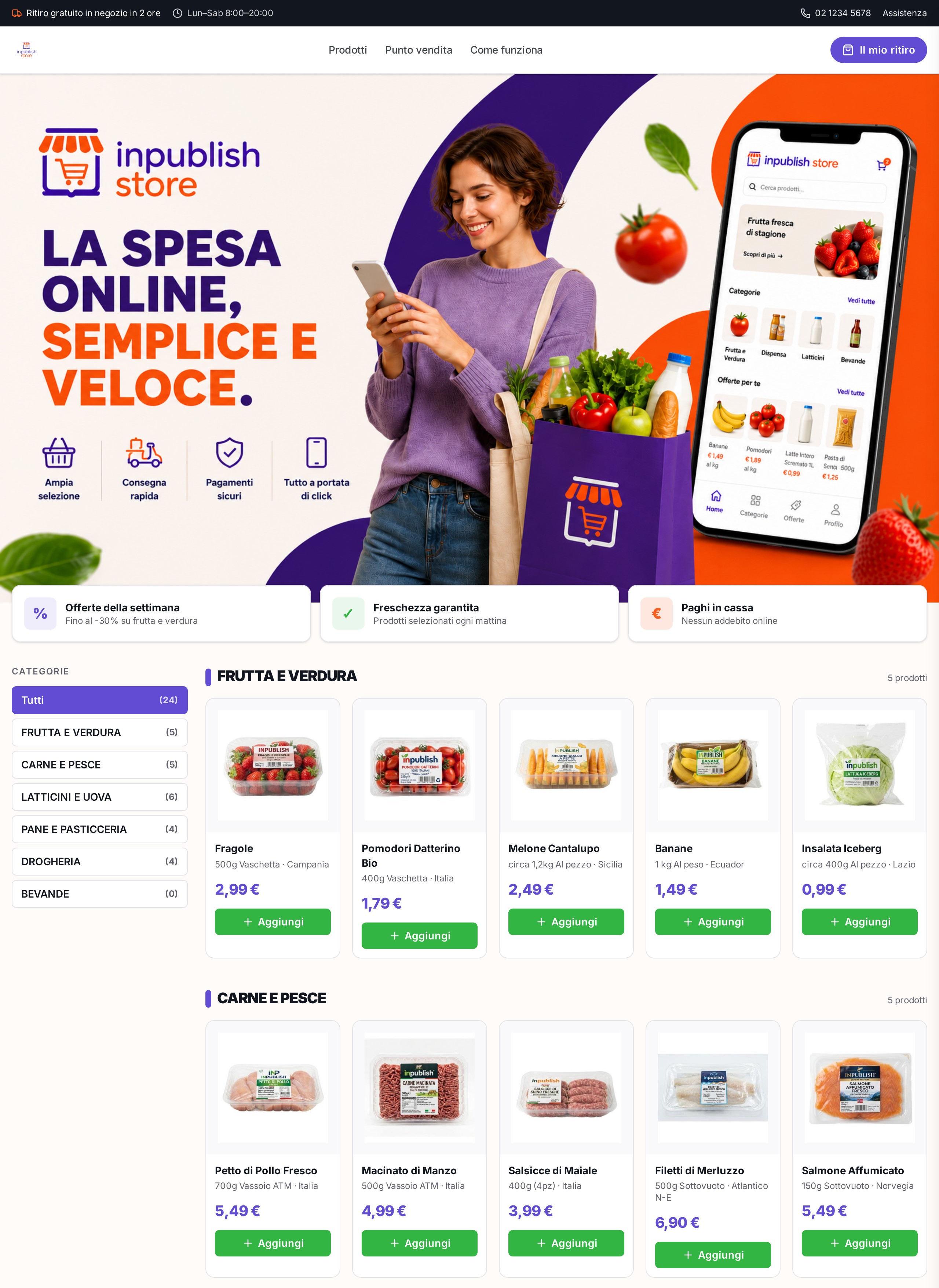
Home & catalog
Categories, offers and fresh products in a clean storefront.
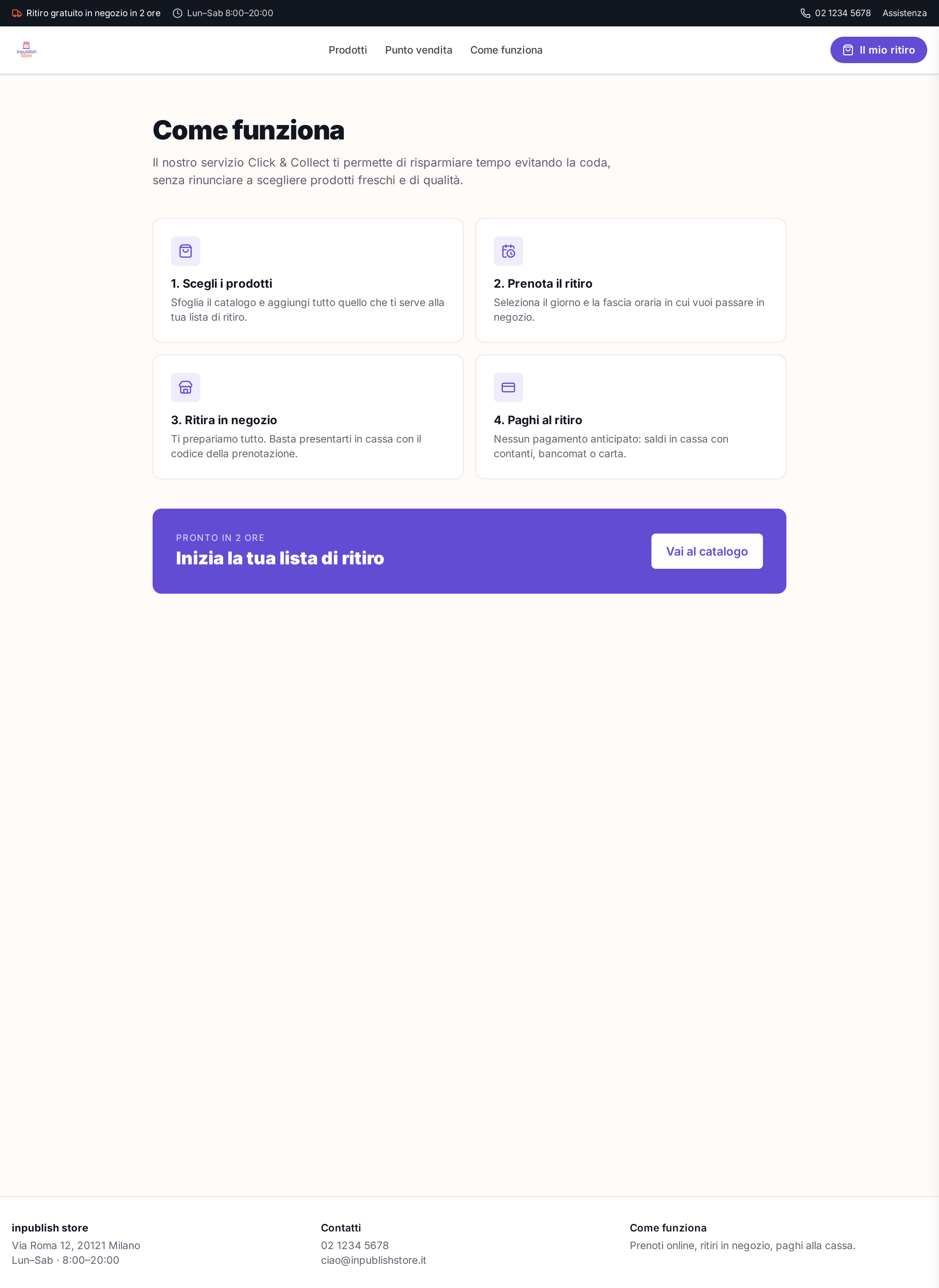
How it works
Click & Collect flow explained in 4 clear steps.
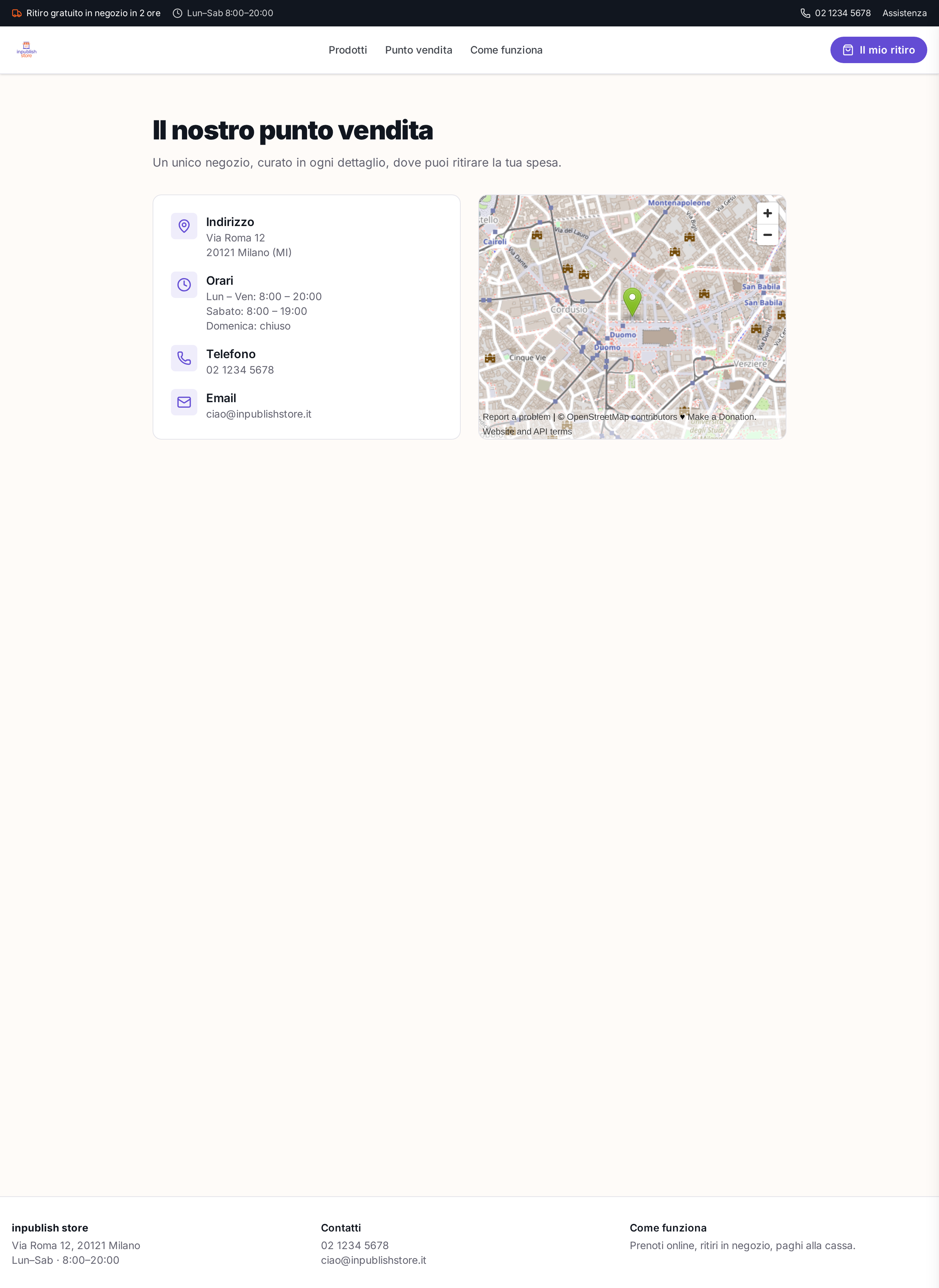
Store details
Store card with address, hours, map and contacts.
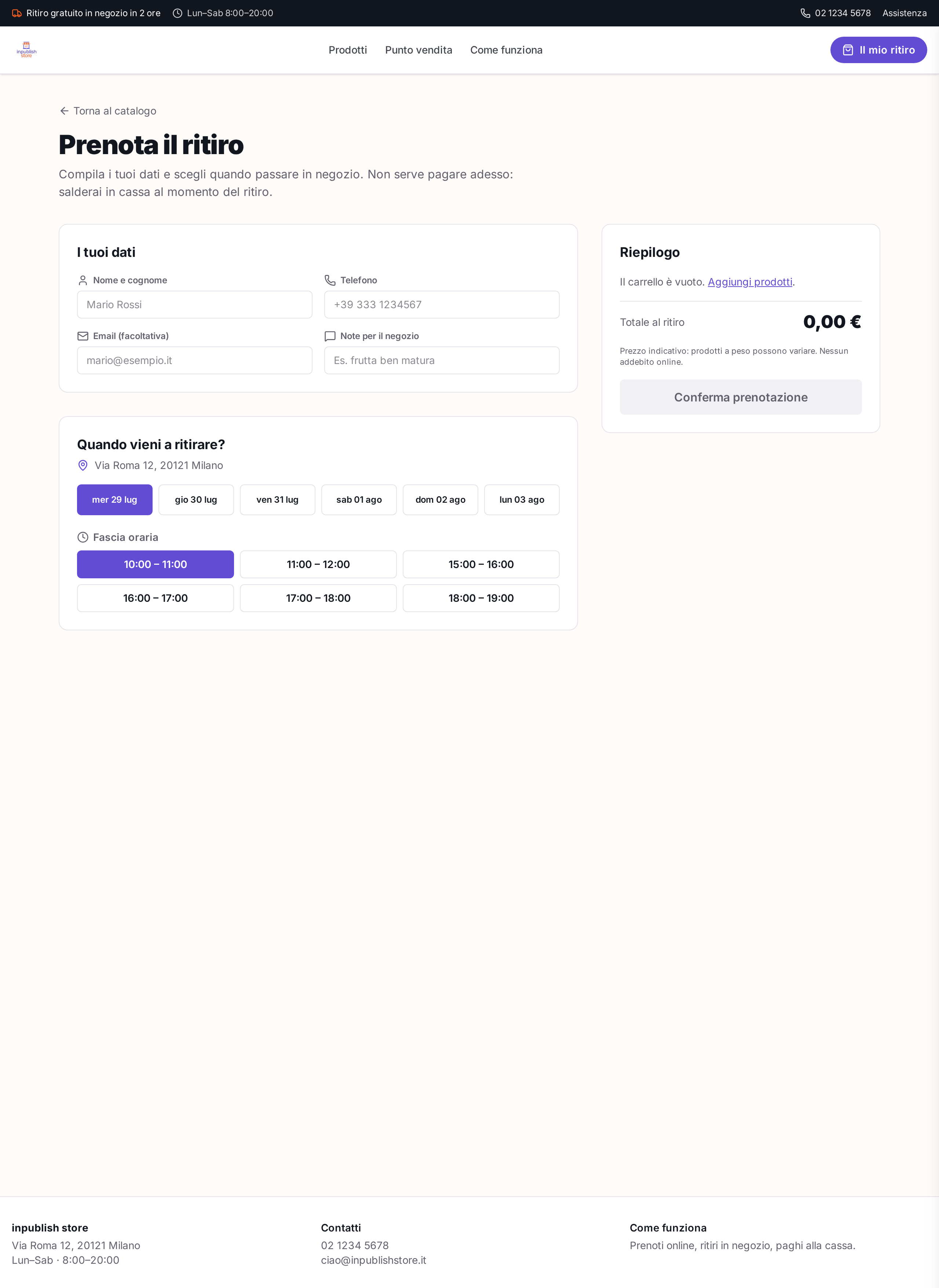
Pickup booking
Time slots, customer details and cart summary.
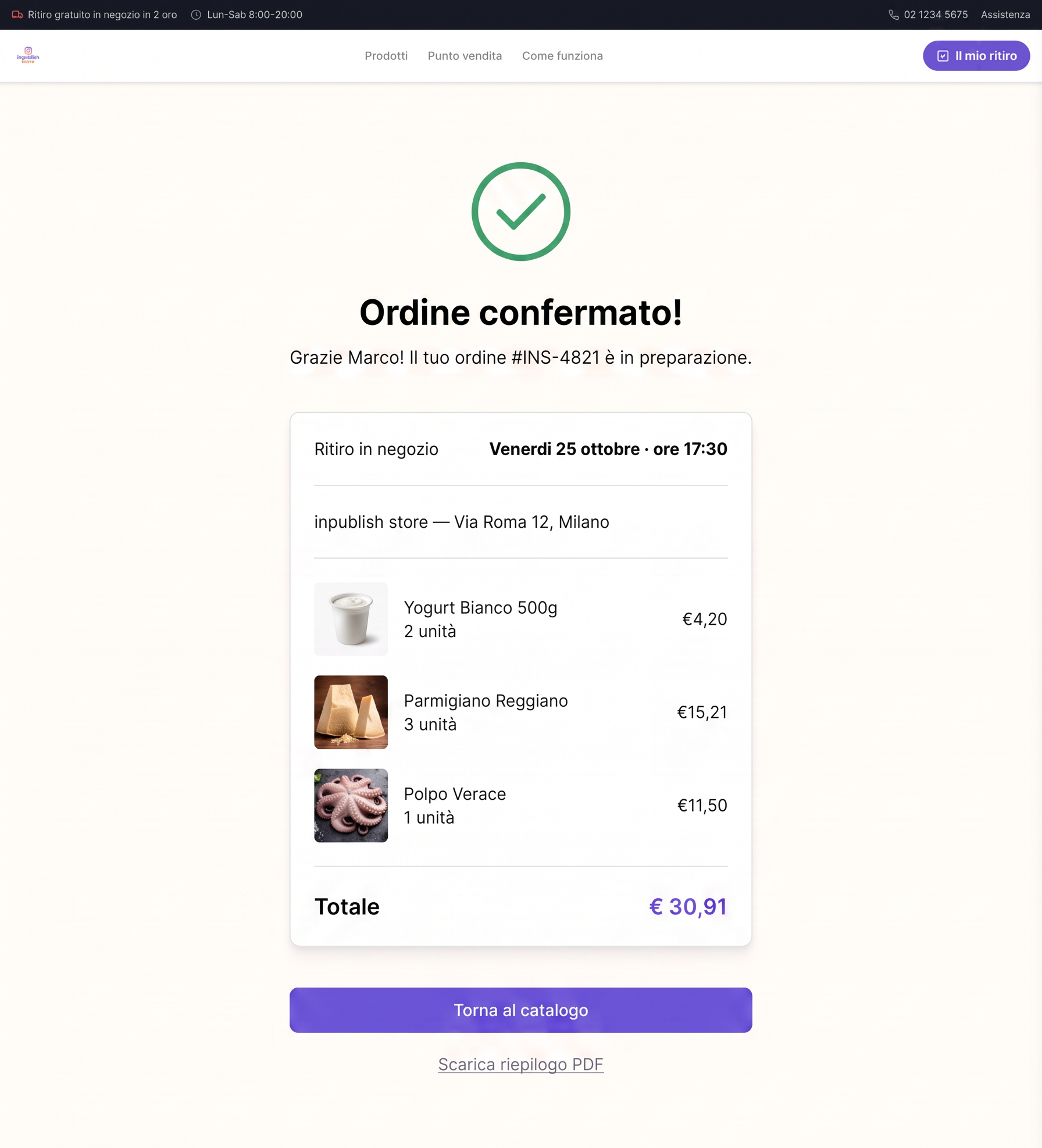
Order confirmation
Confirmation notice ready for in-store pickup.